Introduction to Git

4.410 hours3K learnersCertificate
Want to know how Git can revolutionize your workflow? Learn the basics of distributed work with code repositories and the necessary steps to version and publish your code.
Provided byLogo of the provider JetBrains Academy
See course content1 week ago last updated
No credit card required

Our students are building their future at:

Study at your own pace
Fit learning around your schedule. Suitable for all levels.
Learn from the experts
Short, practical text lessons by seasoned developers.
Become job-ready
Integrated with professional tools by JetBrains.
Join the community
Trusted by learners worldwide, confirmed by Trustpilot

What you'll learn

We will discuss what Git is, why we need it, and how to install and use it. The course projects will help you learn the basic commands and create your very own remote repositories to store your code and configuration data on GitHub.

Going through this course, you will learn to:

  • use basic Git commands;
  • install and set up a Git client;
  • work with local and remote repositories;
  • use the largest code hosting platform — GitHub.
See course content

Learn by doing

# 1
Apply knowledge into practice
You already know the theory. Now it's time to code like you do at work—in a professional IDE, with real project constraints, solving problems that actually matter. Welcome to software engineering as it should be.
# 2
Navigate complexity with surgical precision
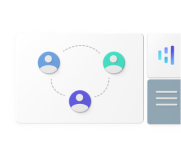
Most developers waste months learning random concepts without seeing how they connect. Our interactive Knowledge Map fixes this. It shows exactly how every programming concept relates to others, helping you build a structured mental model of coding.
# 3
Copy the best. Then improve.
Here's what top engineers do that others don't: they study other people's code obsessively. When you get stuck on Hyperskill, you can explore solutions published by other developers. See their exact code. Understand their approach. Learn their tricks.
# 4
Code review that actually makes you better
We stripped code review down to what actually matters: does your solution work? Have you handled the edge cases? Is there a cleaner way to write this? Hyperskill acts like a competent reviewer who actually tests your code. Not genius-level analysis, not architecture debates — just solid feedback on making your code better.

Elevate your engineering mastery through real-world challenges

Master advanced engineering concepts through ambitious projects. Each project deepens your expertise and transforms you from an experienced engineer into an exceptional one.

Safety Net

Git is a version control system that helps multiple developers collaborate on a project. It tracks changes made to the project's files over time and allows you to revert to a previous snapshot if something goes wrong. Git's branching and merging capabilities help you work on new features or bug fixes, experiment safely, and integrate changes smoothly. This project offers you a chance to work and prepare your branches.

Graduate
Dolly

In 1996 The Roslin Institute from Scotland cloned a sheep called Dolly. A big step in the history of humankind. You don't need to clone a sheep in this project, don't worry. Instead of Dolly, clone a remote repository. A clone is a copy of a repository, created in a new directory. The aim is usually to make a local copy of a remote repository that is hosted on a third-party service. After this, you can work on your local copy, make changes, and push the changes back.

Graduate

Tagger

Git tagging allows you to mark what's essential in your project's history. These tags act like permanent markers, making it easier to reference important versions or milestones of your code. Tags are typically used to mark releases or significant points in your project's development. Unlike branches, tags do not change or move when you make new changes, which means you can always find and use them whenever you need to. Your task for this project is to create tags to mark important moments.

Graduate

Explore all projects

Topics covered by this course

Git
14 topics
Fundamentals
13 topics
Command line
9 topics
GitHub
4 topics

Learn from the industry experts

JetBrains Academy

JetBrains Academy

JetBrains Academy is a part of JetBrains, a global software company specializing in the creation of intelligent, productivity-enhancing tools for software developers and teams. With years of expertise in software development and education, JetBrains Academy empowers more than a million people worldwide to learn and teach computer science, and help organizations inspire their teams to reach their goals in tech. Professional development tools play a big role in computer science education. This is why JetBrains Academy courses offer integration with JetBrains IDEs. This integration assists learners in getting experience with real development processes to streamline their learning curve at future work.

Your peers think Hyperskill rocks

Ivan Segrt
2 months ago
After finishing this course you will have in depth knowledge about git and version control.
Alan Hart avatar
Alan Hart
3 months ago
Useful examples on how it can be used in the real world. Can now say I am more likely to use command line rather than the IDE tools.
Keri Southwood-Smith avatar
Keri Southwood-Smith
4 months ago
This course helped me to get more familiar with git and its various commands. Also how to use them to solve certain situations that will come up during development.

Join a community of 700 000+ passionate learners

Discussion feed

Ask questions, interact with the community and learn together with others.

Study groups

View solutions posted by other learners and learn from them.

Networking

Connect, share insights, collaborate on projects, and advance your career.
See course content

Show off your accomplishments

Add it to your resume or LinkedIn profile to increase your chances of getting noticed by recruiters.
Course provided by JetBrains Academy
Anonymous 154248806has successfully completed the courseIntroduction to Git
Issue date November 27, 2025
40 topics completed

Select the plan that suits your learning goals

View plans